
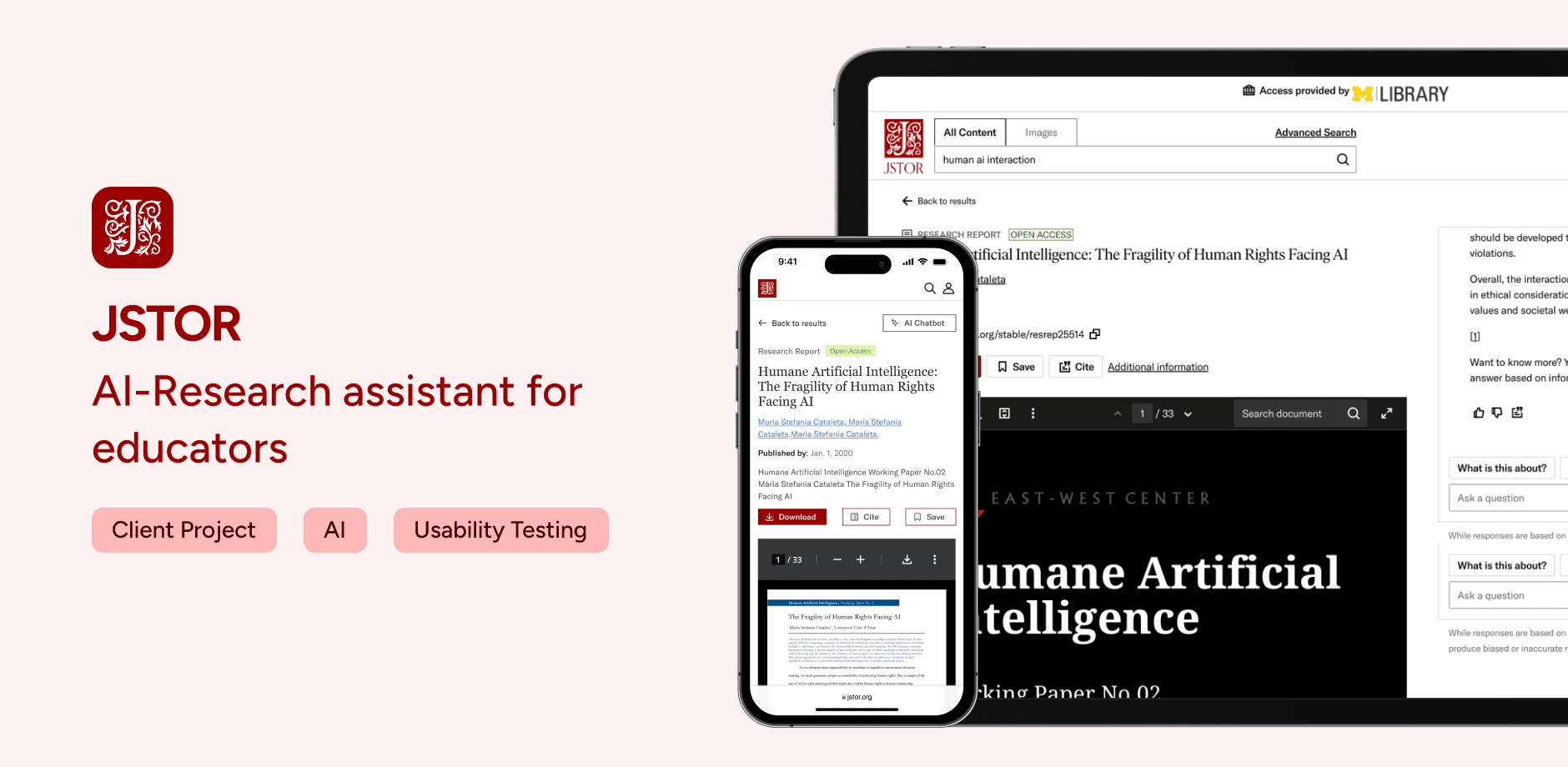
A generative AI-powered research assistant integrated into JSTOR, designed to support students, faculty, and librarians in academic research. The tool provides article summaries, Q&A functions, and contextual insights to help users deepen understanding and accelerate the research process, especially for mobile-first learners.
ROLE
UX Research
UX Designer
TEAM
Usabiliteam (*5)
Jstor's UX Design Team (*2)
TOOLS
Figma
Adobe Illustrator
Adobe Photoshop
TIMELINE
3.5 Months
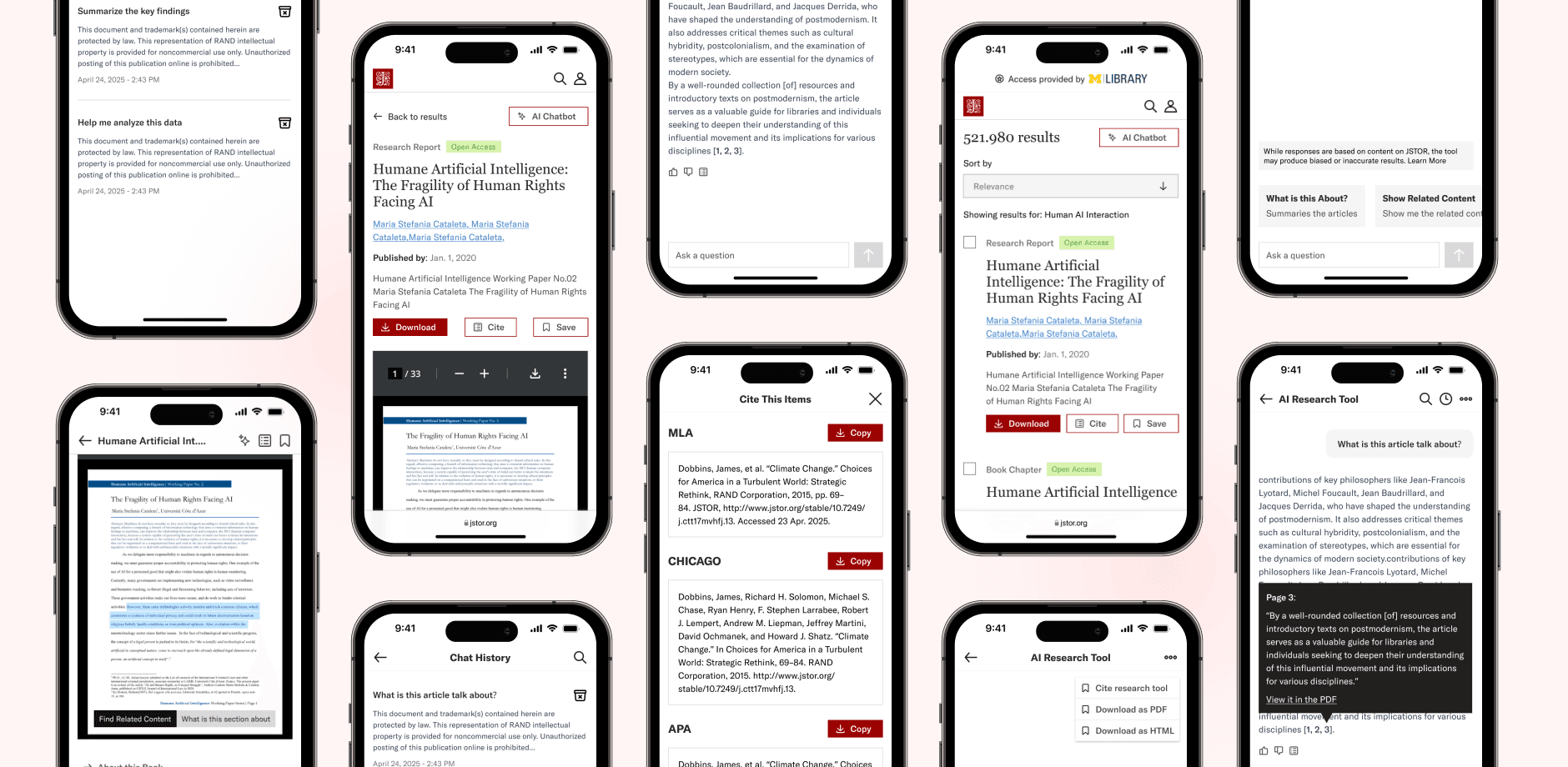
{ Final Design & Key Features }
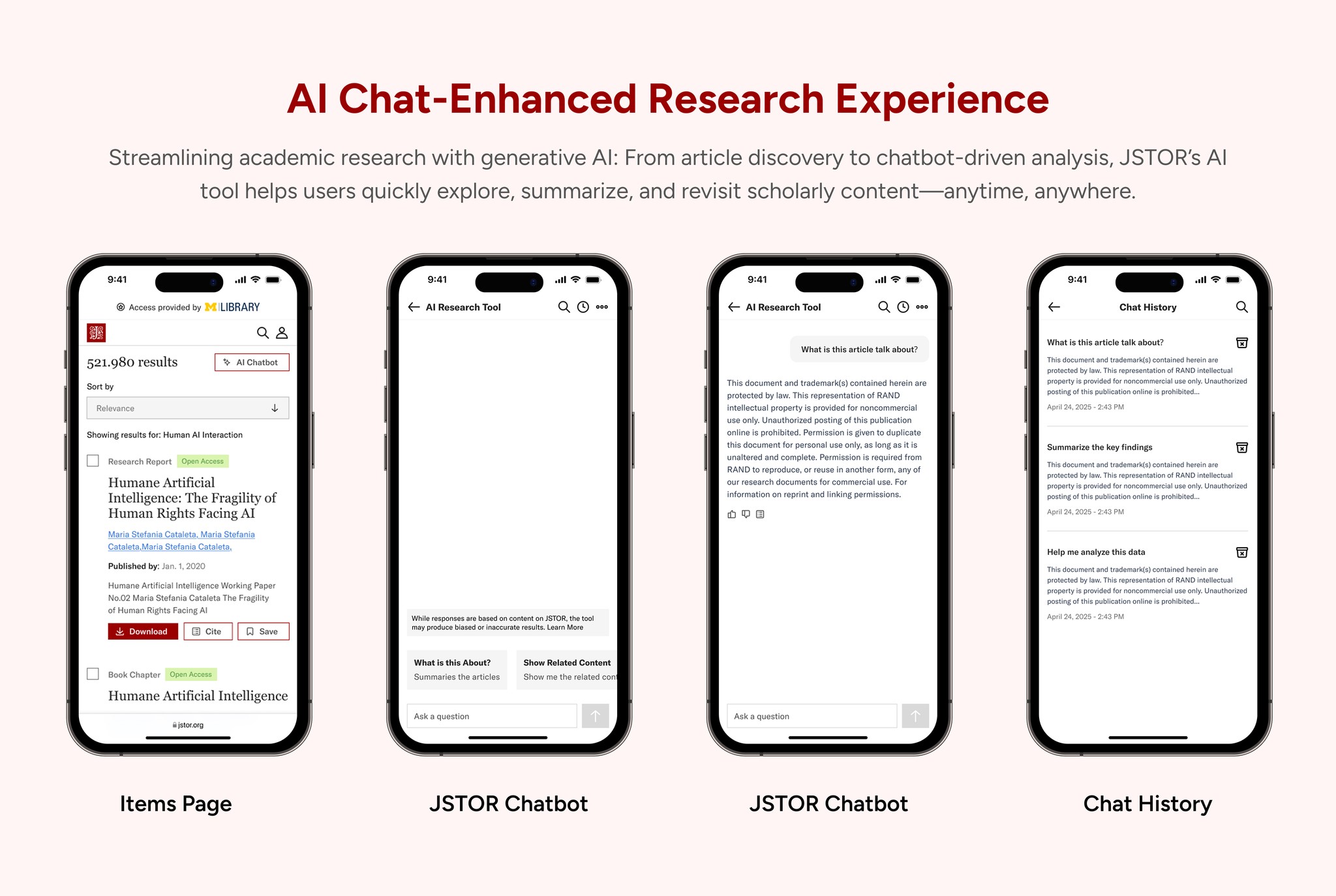
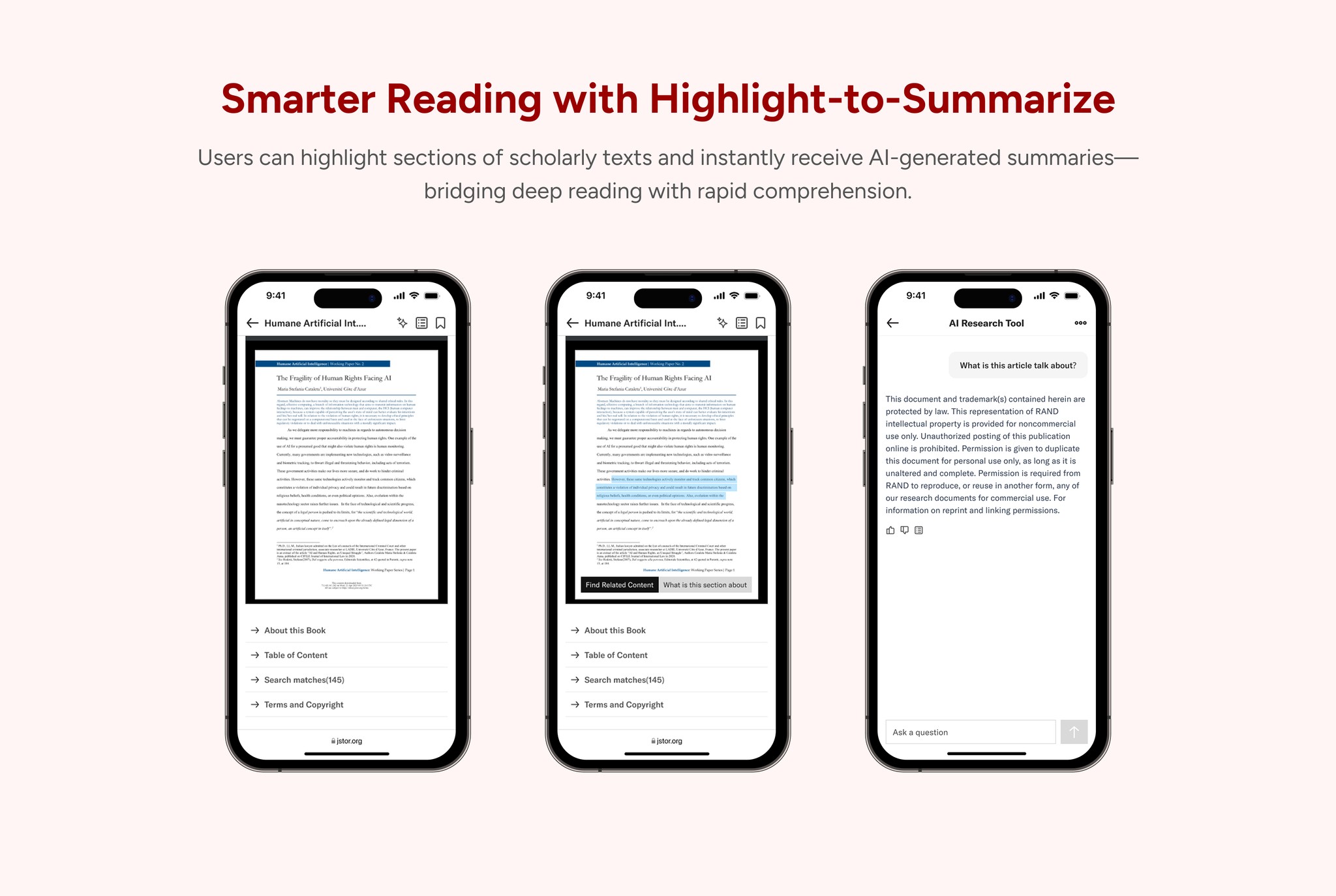
Context
Redesigning the JSTOR AI Research Tool to Enhance Mobile Research Experience
We collaborated with the JSTOR design team to elevate the AI Chatbot experience. The goal was to improve how users interact with AI assistance during academic research, particularly on mobile devices.
While the AI tool provided powerful summarization and Q&A capabilities, the experience felt unstable and fragmented on smaller screens. Users encountered collapsing chat windows, unclear citation references, inconsistent information hierarchy, and difficulty accessing previous conversations. These friction points disrupted research flow and reduced trust in the AI system.
My Role
I led the end-to-end mobile experience redesign of the JSTOR AI Research Tool in collaboration with the JSTOR design team.
I conducted 10+ user interviews and usability testing to identify key friction points in chat stability, citation transparency, and cross-device continuity.
Impact
Reduced mobile bounce rate by 25% by stabilizing chat interactions.
Improved overall research flow by reducing friction between reading, chatting, and revisiting past conversations.
Current Experience
What is the current JSTOR AI Chatbot experience like?
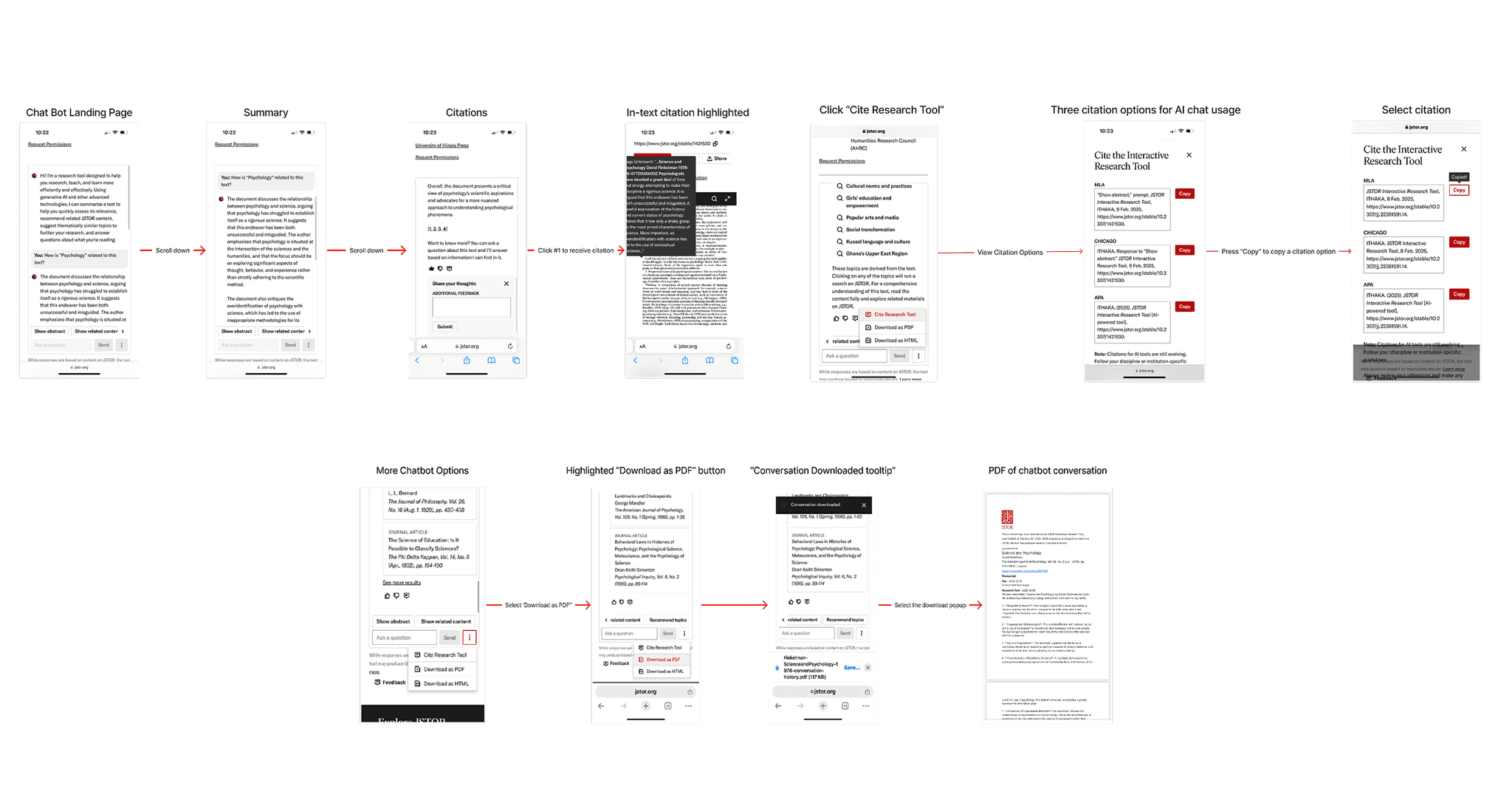
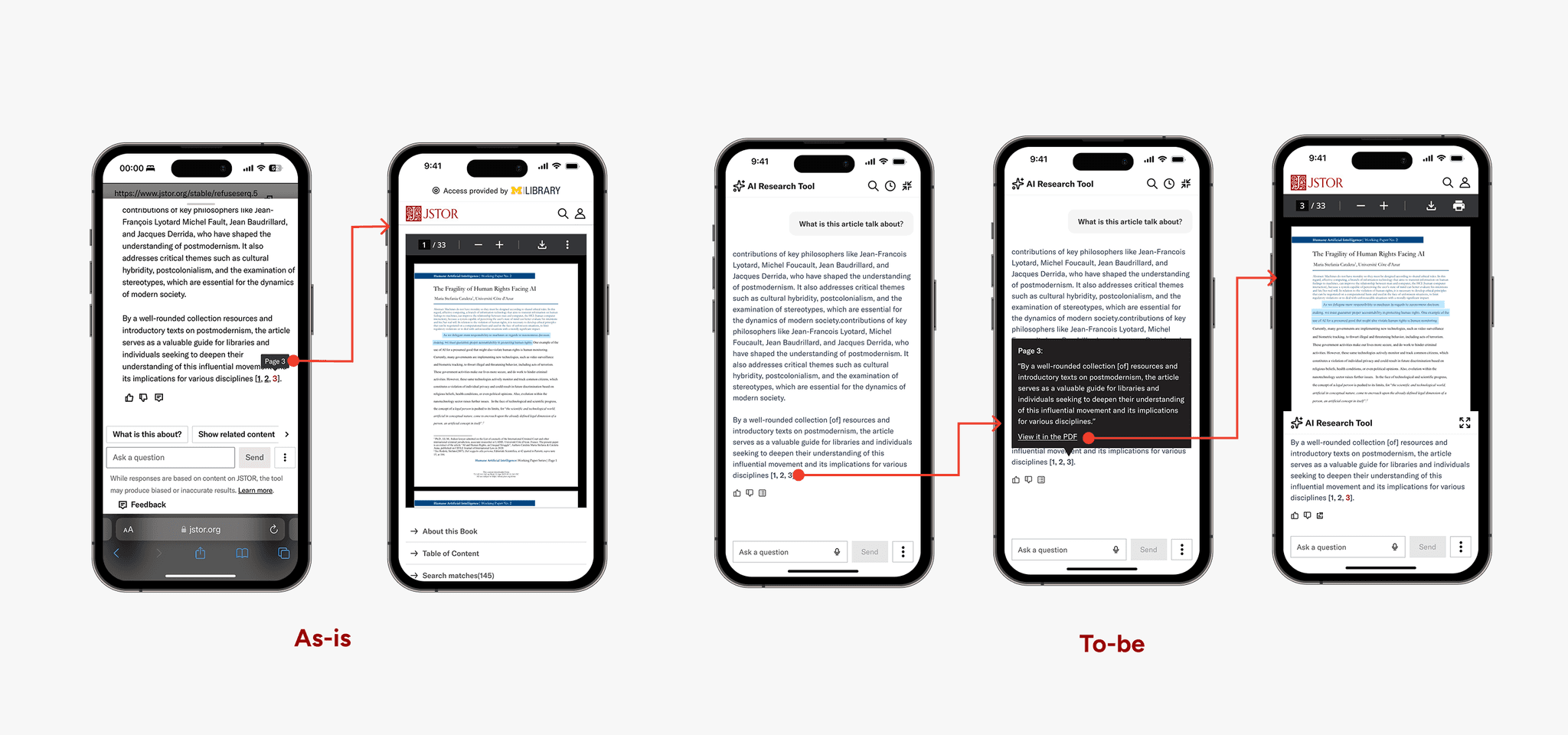
We draw the interaction map to expose key breakdowns in the mobile research flow. The chatbot entry point was buried at the bottom of long source pages, forcing excessive scrolling. Citation actions were difficult to access, and mobile interactions felt awkward and unstable.
Rather than supporting lightweight research behaviors like skimming, saving, and quick referencing, the current design imposed a full workflow model on mobile users.
Target Audience
Who are the Target Audiences?
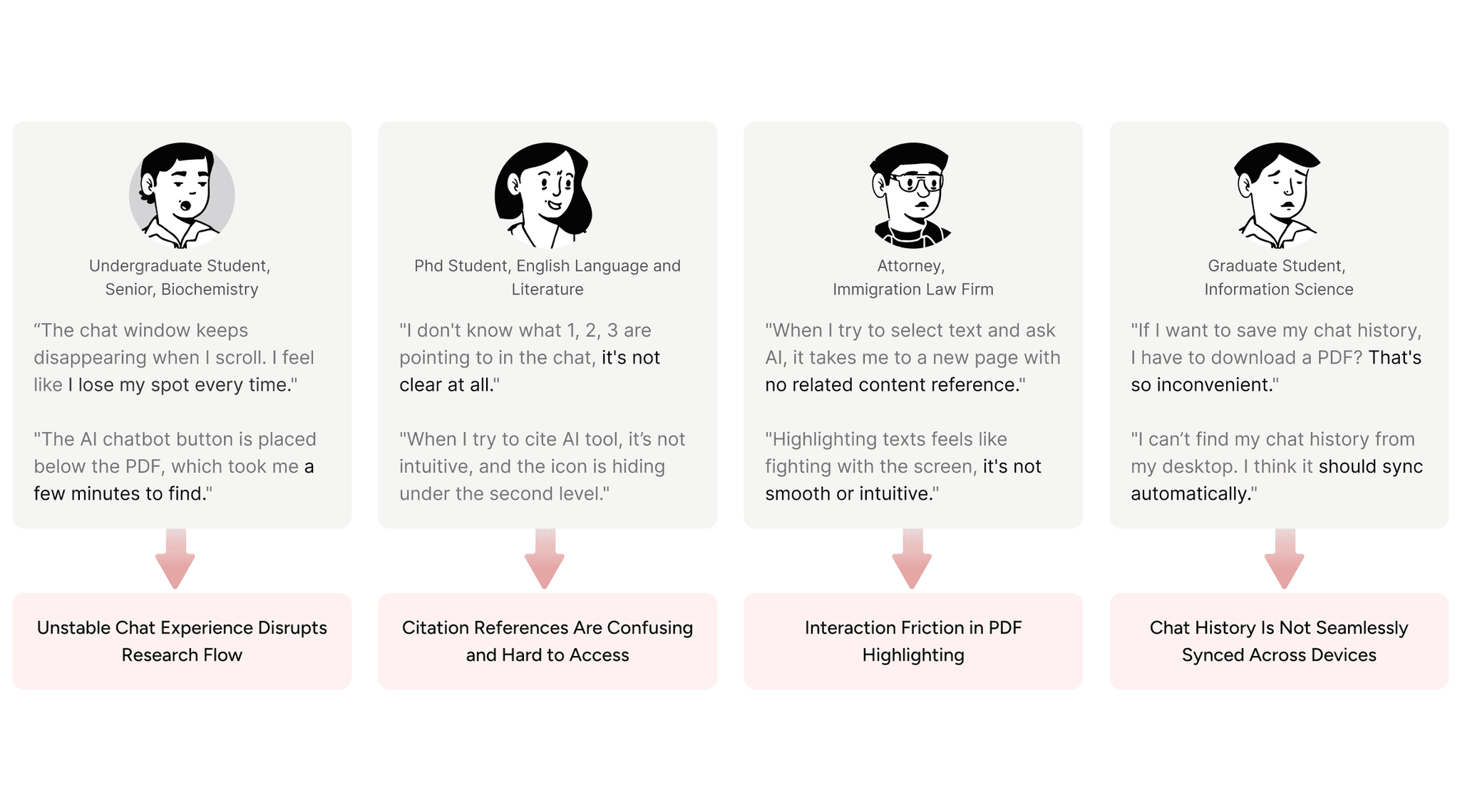
Since the JSTOR AI Chatbot is positioned as a research tool, the primary users include undergraduate students, graduate students, scholars, and professionals who rely on JSTOR for academic work.
Participants were recruited through JSTOR’s network and the University of Michigan community to reflect a range of research backgrounds and workflows.
We conducted 5 in-depth user interviews and 5 think-aloud usability testing sessions to identify behavioral patterns and uncover usability breakdowns across different user types.
Project Goal
Redesigning the JSTOR AI Research Tool to Enhance Mobile Research Experience

Make the research flow feel stable: Help users move between reading and asking questions without losing their place or feeling interrupted.

Make citations easier to understand: Clarify what the citation numbers mean and make it simple to check sources without breaking the flow.

Make chat history easy to revisit across devices: Allow users to find their previous conversations and continue their research smoothly on different devices.
Challenge 01
How might we make the AI research flow more stable and improve the chat experience?
Ideations
From Divergence to Convergence
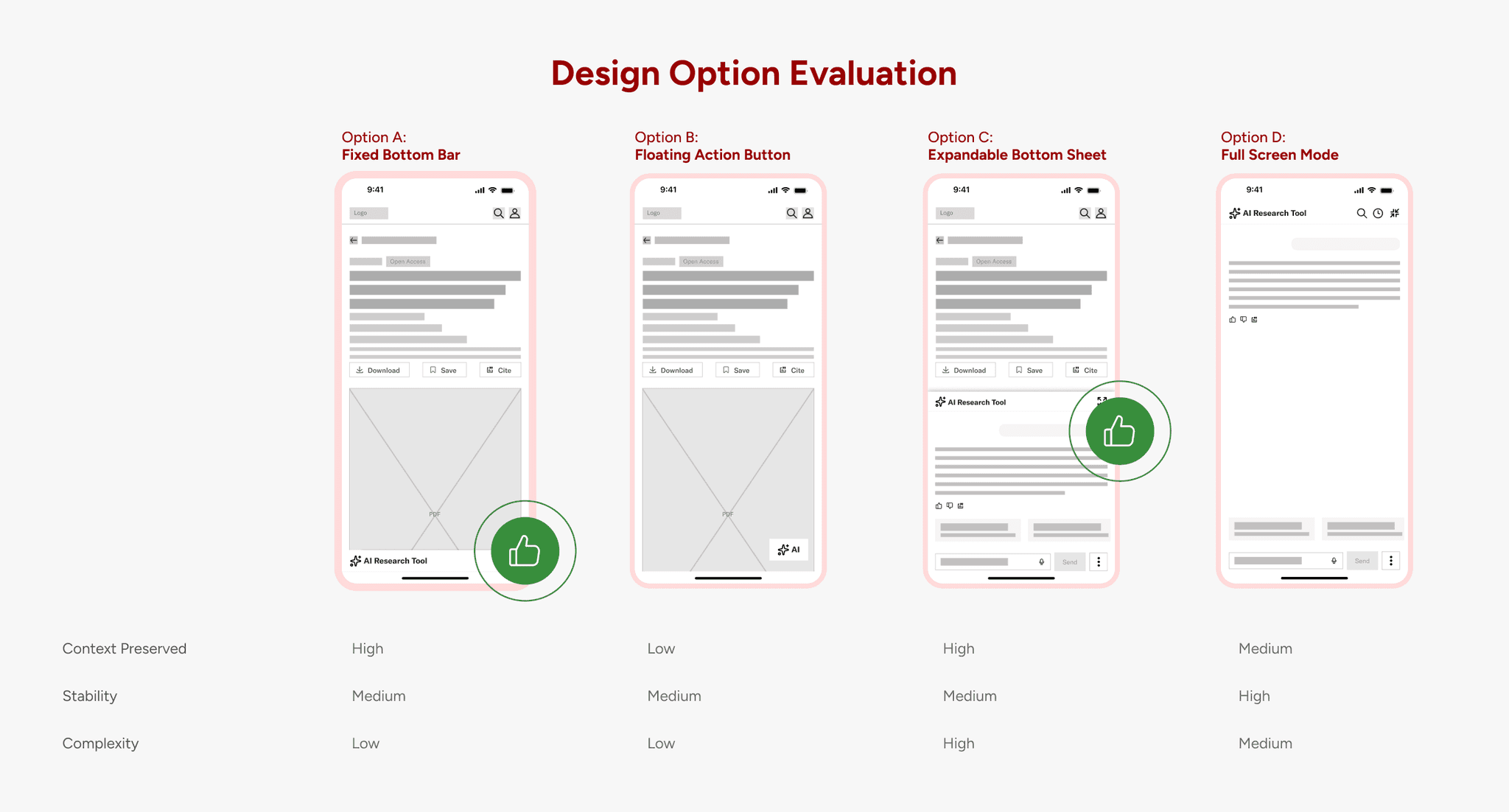
To solve the instability issue, we first diverged. Instead of immediately adjusting the existing layout, we explored multiple structural directions: persistent entry points, floating triggers, overlays, full-screen modes, and contextual embedding.
Each concept addressed a different dimension of the problem:
Visibility
Context preservation
Cognitive load
Technical feasibility
Design Decision
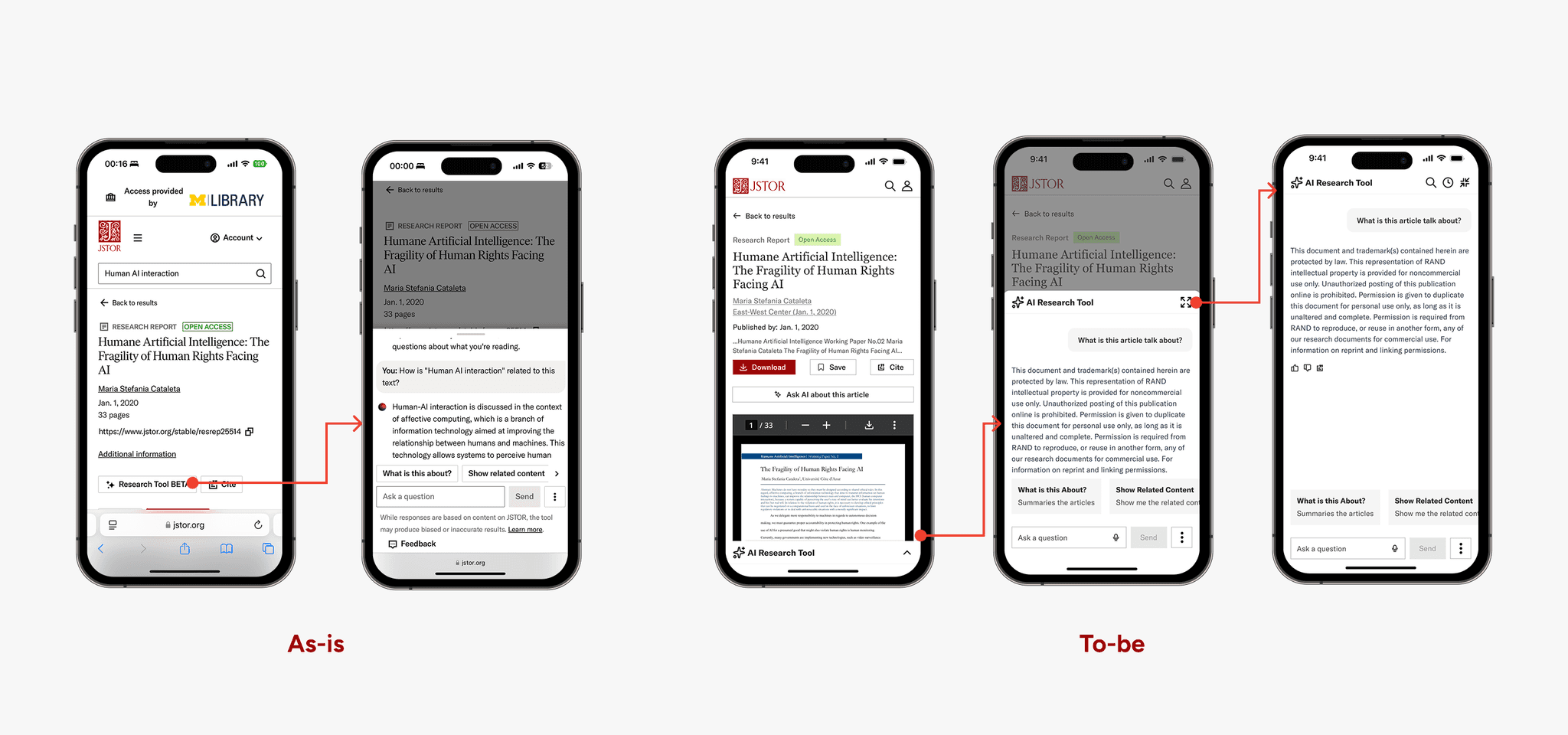
A Flexible Chat Layer That Adapts to User Intent
After exploring multiple structural options, we realized the core issue was not just discoverability, it was the instability between reading and asking. A full-screen chat mode on mobile to prevent collapsing
Users needed:
A consistent way to access AI
A stable reading surface
Control over how much space the chat occupies
So instead of forcing a single rigid layout, we designed a progressive chat experience.
Challenge 02
How might we make citation references clear, transparent, and easy to access?
Approach
The issue wasn’t access to citations, it was the abrupt context switch.
We began asking different questions:
How might we preview citation context before forcing a page jump?
How might we give users control over when deeper verification is necessary? And how might we preserve both the AI response and the source simultaneously?
From this shift in perspective, our goal became clear. Rather than treating citations as navigation triggers, we needed to design them as progressive disclosure mechanisms.
Design Decision
Reducing Disruption While Increasing Transparency
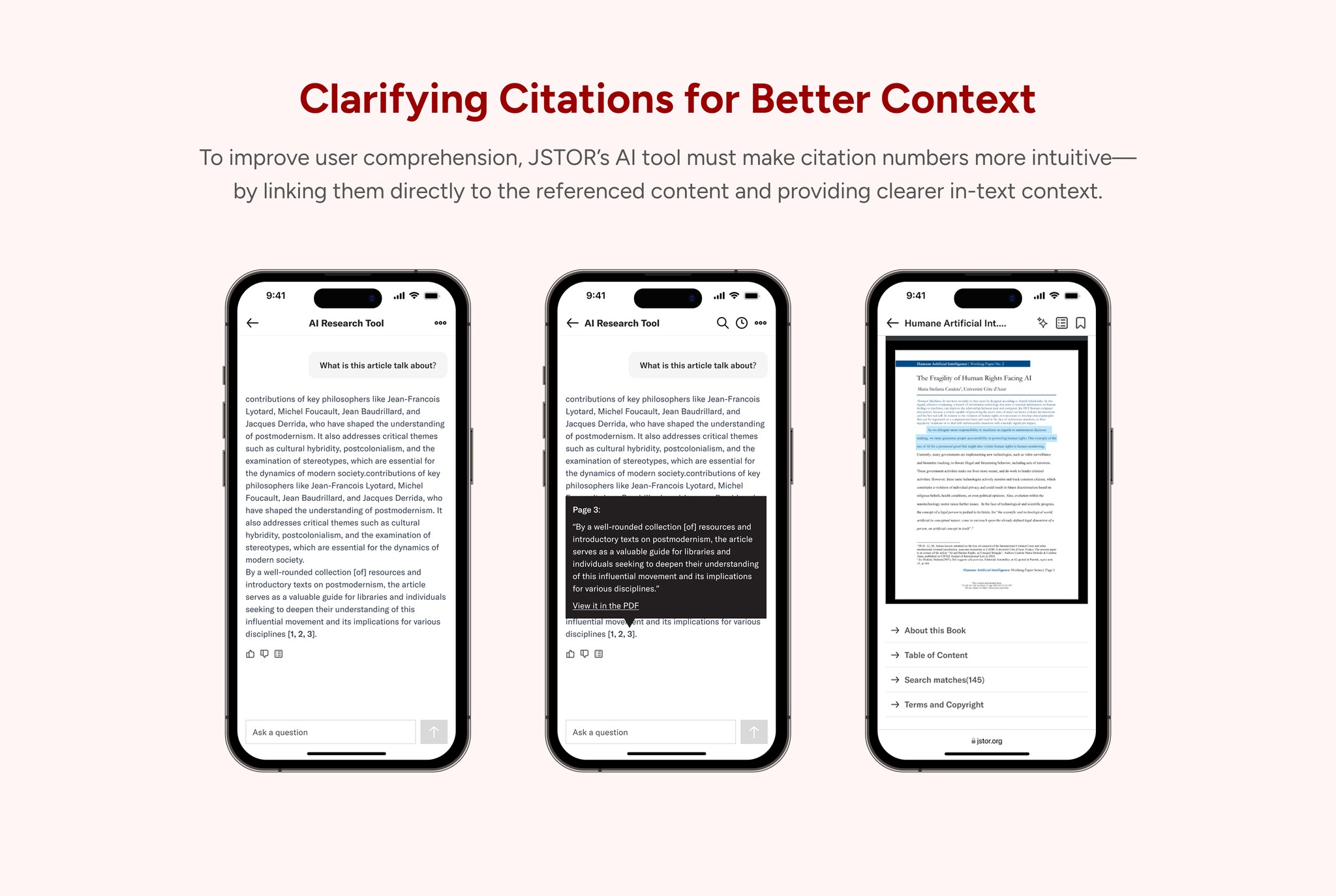
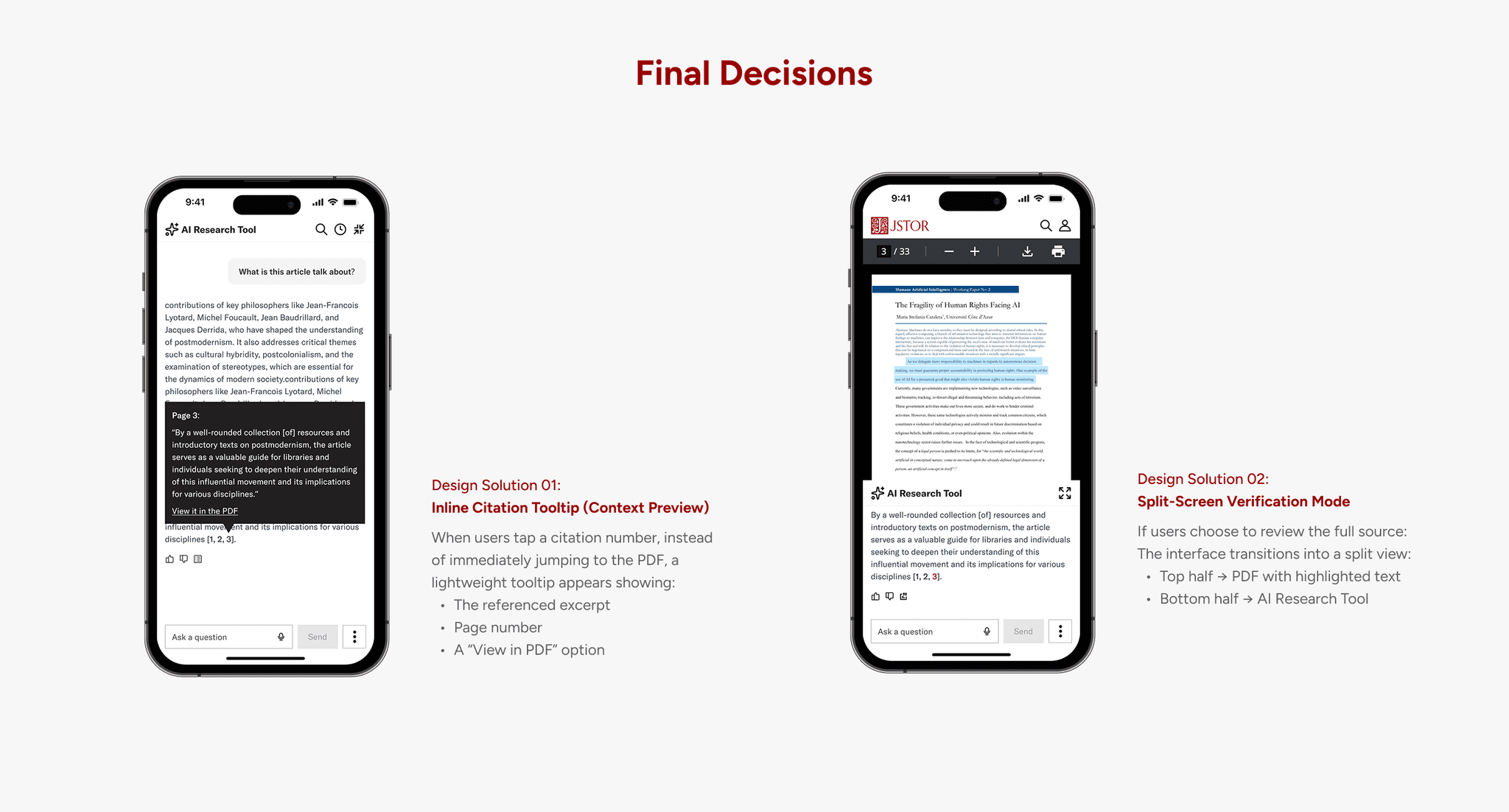
Instead of treating citations as a hard navigation trigger, we redesigned them as a progressive verification experience.
Now, when a user taps a citation number, a lightweight tooltip appears first. It previews the referenced excerpt, displays the page number, and offers a clear “View in PDF” option. This small step gives users a moment to decide: Do I need to go deeper? In many cases, the preview alone provides enough reassurance without forcing a full context switch.
If users choose to explore further, the interface transitions into a split-screen mode. The top half shows the PDF with the highlighted text, while the bottom half preserves the AI Research Tool and original response. Instead of leaving the conversation, users now verify within the same workspace.
Impact
Measurable Improvements in Engagement
and Satisfaction
Since this was a 3.5-month project, we did not wait for the full redesign to be implemented before testing impact. Instead, the engineering team prioritized and shipped the solutions for Challenge 01 and Challenge 02, allowing us to validate the most critical improvements early.
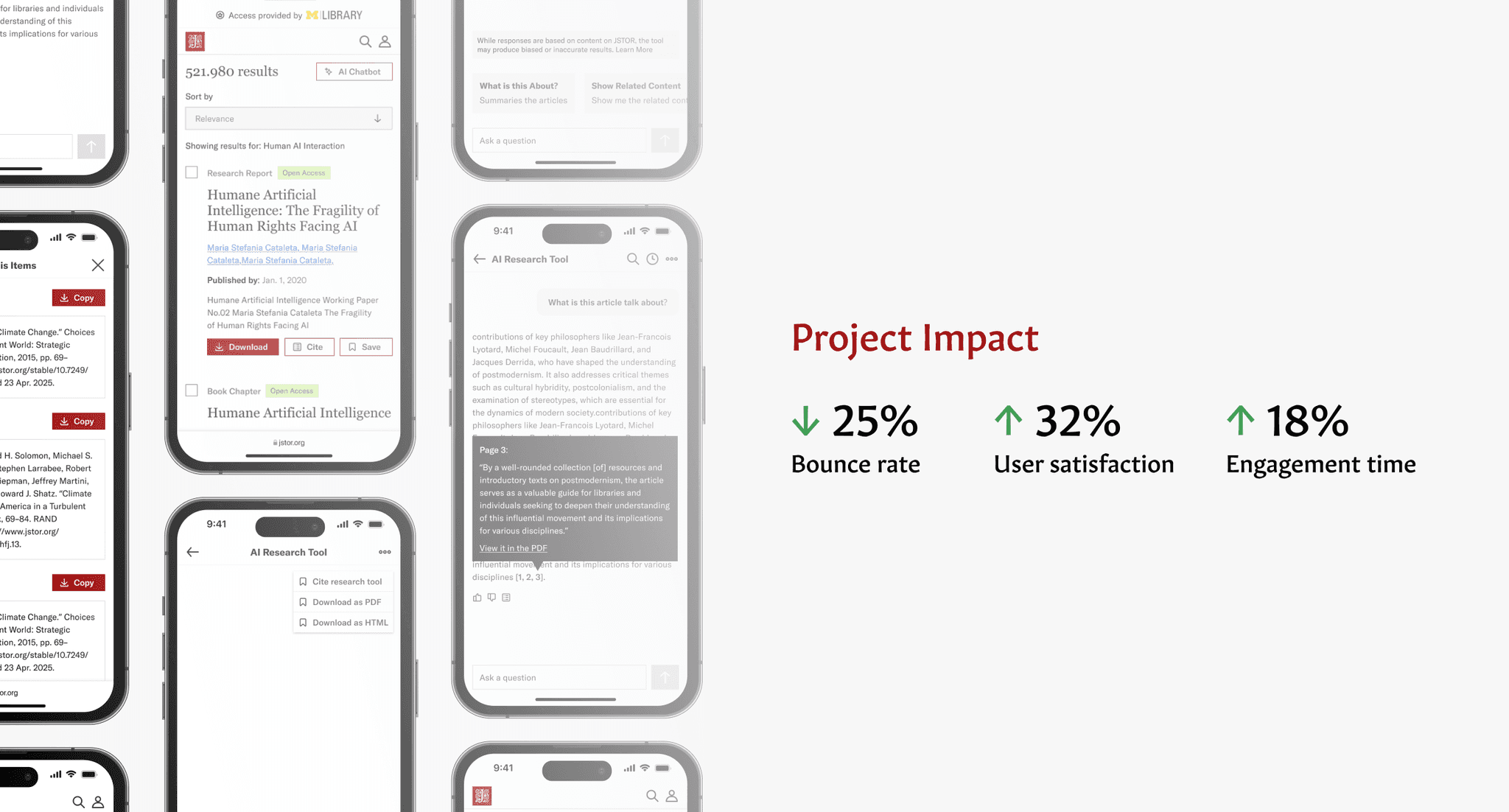
After implementing the stabilized chat experience and redesigned citation flow, we observed a 25% decrease in mobile bounce rate, indicating that users were more willing to stay and engage with the AI Research Tool.
We also conducted a follow-up usability test, which showed a 32% increase in overall user satisfaction. Participants reported feeling more in control, less disoriented when switching between reading and chat, and more confident in verifying citations.
Future Exploration Needed
Expand usability testing scope with a more diverse user base including faculty researchers and explore accessibility improvements based on WCAG guidelines to ensure inclusive design.
Refine cross-device experience
Prototype full-screen chat and chat sync features to support deeper, uninterrupted research on mobile and desktop
Design decisions must be grounded in diverse user perspectives
This project highlighted the importance of including a wide demographic range—students, faculty, and librarians—in user research. Without this, we risk overlooking critical needs and behaviors, especially across different platforms and research habits.
User insights are essential to guide impactful design
We learned that meaningful design decisions rely on strong user feedback. When insights are limited or unclear, it's challenging to confidently prioritize features or resolve usability issues—reinforcing the need for well-structured, intentional research methods.
AI enhances research—but doesn’t replace human judgment


